-
v7.1.5 - PS5 Suite Stable
DieMitchell released this
2026-10-05 21:26:50 +02:00 | 1 commits to main since this release🎮 PS5 Suite v7.1.5 — Complete PS5 Management Platform
By Manos
All-in-one management suite for jailbroken PS5 consoles. One app — on Windows, Linux or macOS (Android build in progress) — that does everything: high-speed file transfers, game mount/launch, decrypted save backup/restore, screenshots, live hardware monitoring, PKG streaming installs, full FPKG building on the PC, memory tools, fan control, kernel log and a remote shell.
📸 Screenshots
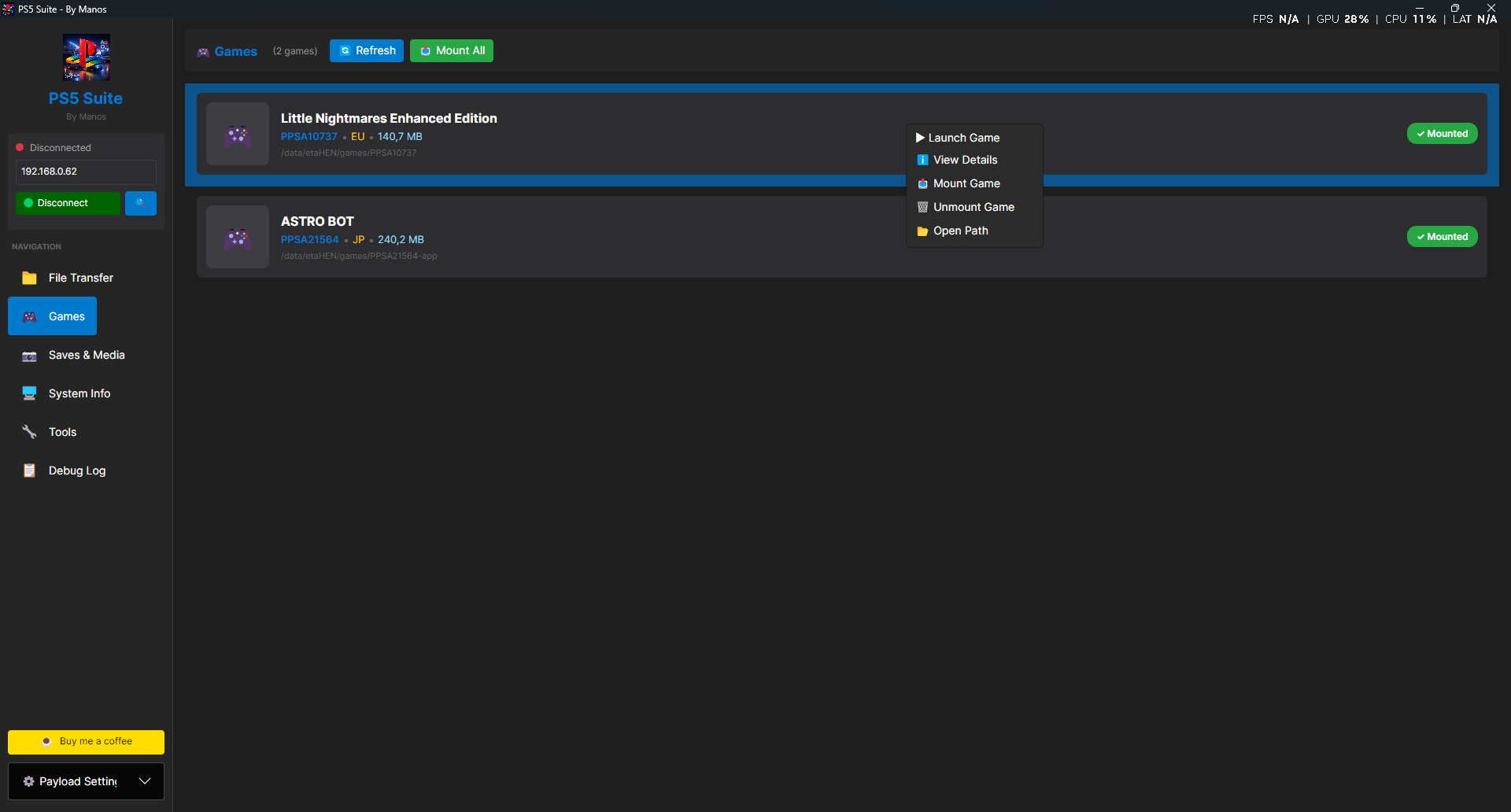
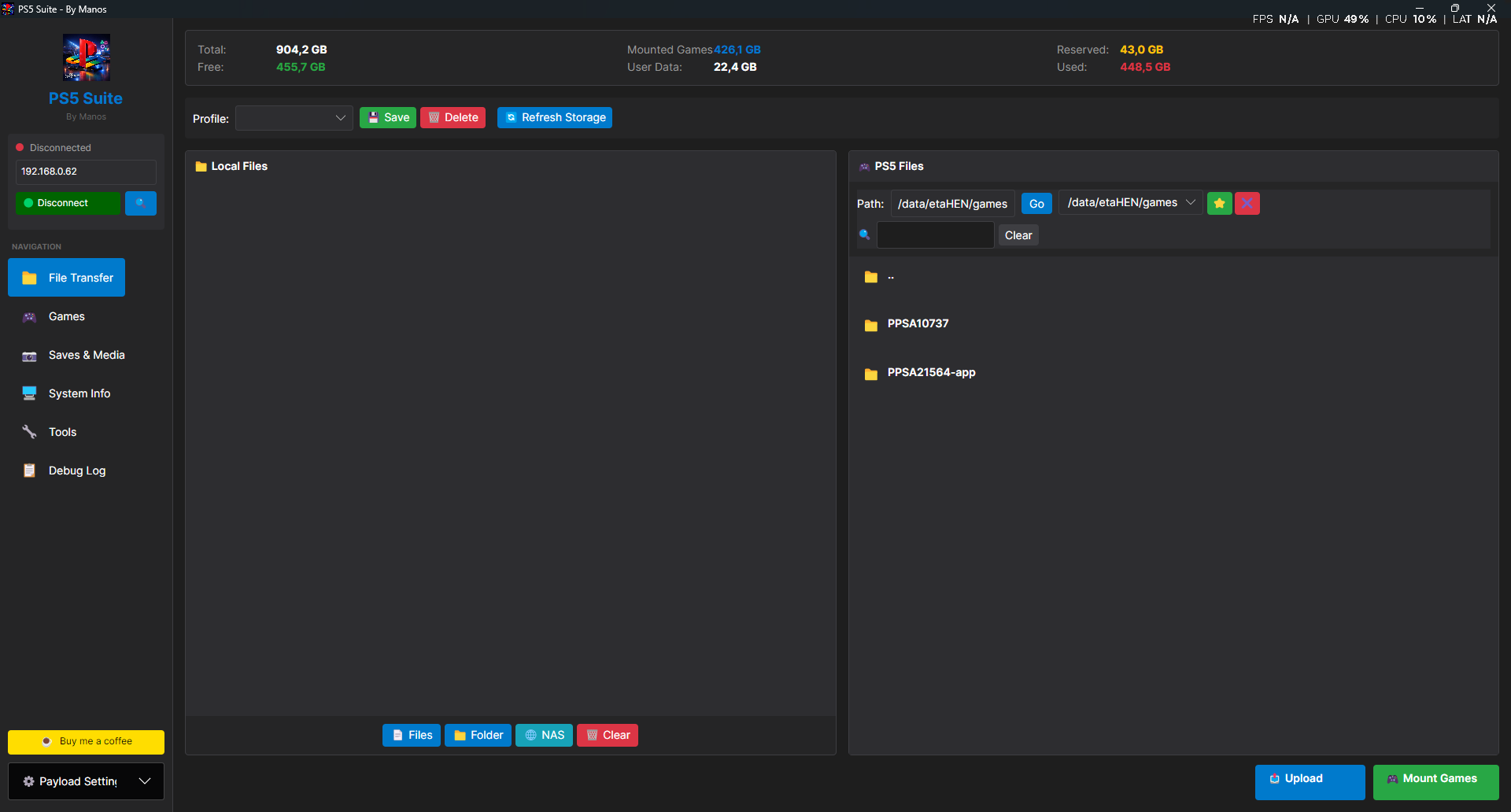
File Transfer — dual PC/PS5 browser, storage bar Games — list, mount/launch context menu 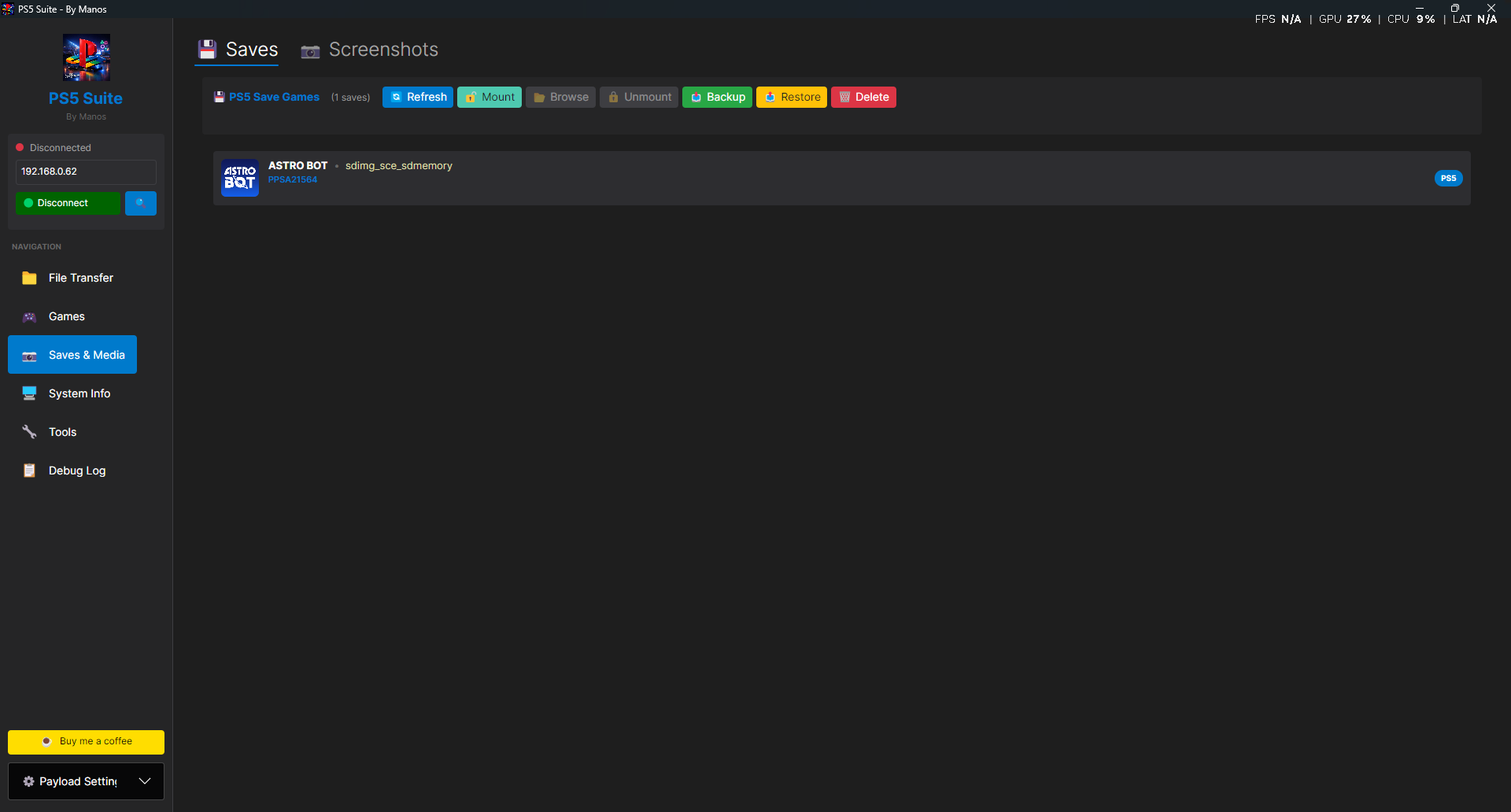
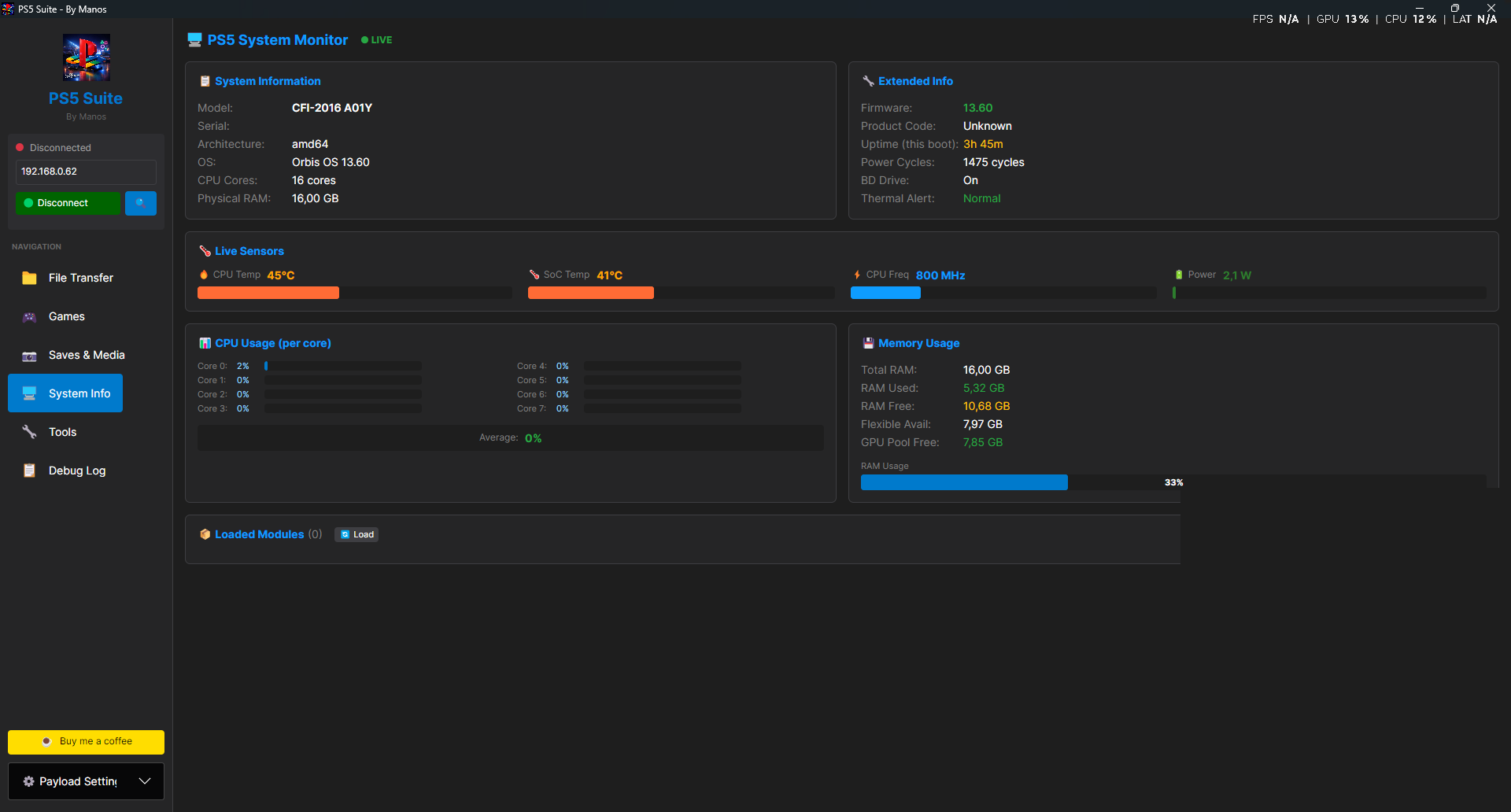
Saves & Media — decrypted mount/backup/restore System Info — live sensors, per-core CPU, RAM 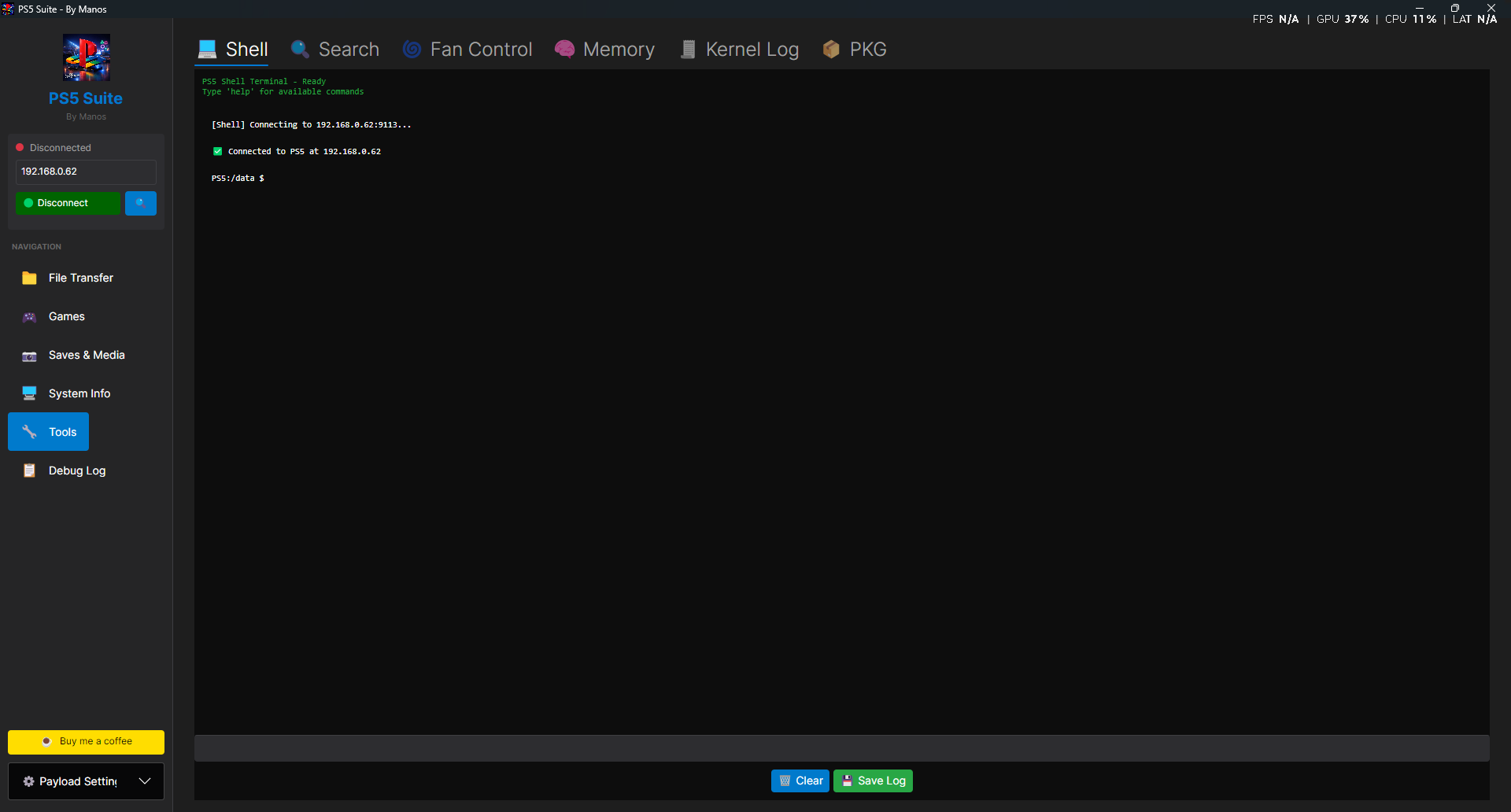
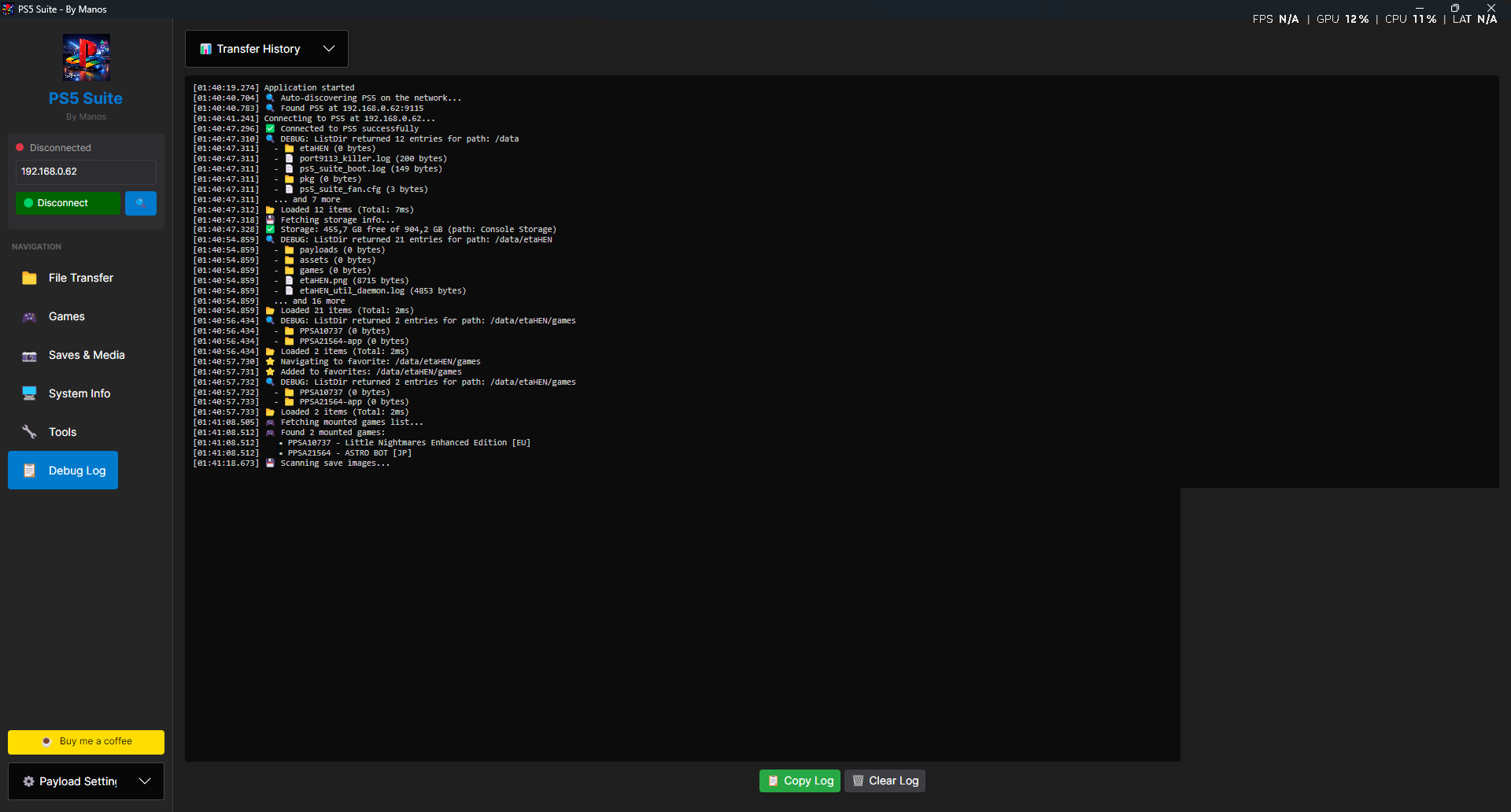
Shell — remote terminal on the console Debug Log — every operation, timestamped
📥 What's in this release
Asset Platform PS5Suite-Windows-x64.exeWindows 10/11 64-bit — self-contained, no .NET install needed PS5Suite-Linux-x64Linux 64-bit — chmod +xand runPS5Suite-Linux-ARM64ARM64 Linux (Raspberry Pi, etc.) PS5Suite-macOS-x64Intel Macs — chmod +x, Gatekeeper: right-click → OpenPS5Suite-macOS-ARM64Apple Silicon (M1/M2/M3/M4) ps5_suite_server.elfRequired on-console server component
🚀 Setup (2 minutes)
- Load a jailbreak / payload loader on the PS5 (e.g. GoldHEN, or etaHEN itemzflow).
- Open the app → expand ⚙️ Payload Settings → 📂 Browse → pick
payload/ps5_suite_server.elf→ 📤 Send Payload (default port 9020). - The payload installs itself and starts the suite server (ports 9113–9116).
- Press 🔍 to auto-discover the console on your LAN, or type its IP → 🔌 Connect.
- Done. Future payload updates go through 🔄 Self-Update Payload (pushes the new ELF through the running server) or ⬆️ Update from GitHub.
💾 Save your console(s) as named connection profiles for one-click reconnect.
📂 EVERYTHING the program does — feature by feature
🔌 Top bar / Connection
- Auto-discover (🔍) — broadcasts on the LAN and finds the PS5 automatically.
- Profiles — save multiple consoles by name, delete them, reconnect instantly.
- Storage Info panel — free/total space on the console's drive, 🔄 Refresh Storage button.
- Payload Settings — pick the ELF, set the injection port (default 9020), Send Payload, Self-Update Payload (updates the running server in place), Update from GitHub (checks for new suite releases).
- Buy Me a Coffee link in the header. ❤️
📁 FILE TRANSFER (main screen — dual browser)
Two side-by-side panes: your PC on the left, the PS5 on the right.
Local PC pane
- Browse all local drives/folders like a file manager.
- 📄 Files — multi-select files to queue. 📁 Folder — queue an entire folder (recursive).
- 🌐 NAS — add a network/SMB path (
\\server\share\folder) directly — uploads straight from your NAS to the PS5. - Right-click a local
.pkg→ 📦 Install on PS5 — streams the package from the PC to the console's installer over HTTP; no 20 GB copy to the PS5 drive needed. - 🗑️ Clear empties the upload queue.
PS5 remote pane
- Full filesystem browser: path bar + Go, ⭐ favorites (saved per console), live search/filter box.
- Right-click menu: ⬇️ Download, 📝 Rename, 📋 Copy, ✂️ Move, 🗑️ Delete, 🗑️ Delete Selected (multi-select).
- Downloads ask where to save on the PC; folders download recursively.
Transfer engine
- 📤 Upload — parallel chunked transfers; ~280 MB/s on fast LANs (2.5GbE), saturates gigabit easily.
- Duplicate files on the PS5 trigger a dialog: skip / overwrite / rename.
- Live progress bar with per-file %, overall speed (MB/s) and ETA. ⏹ STOP cancels cleanly.
- 🎮 Mount Games — mounts uploaded game dumps so they appear in the PS5's game list.
- Transfer History — every completed/failed transfer logged; 🔄 Retry failed items, 🗑️ Remove/Clear All.
🎮 GAMES (sidebar)
- Lists every installed + mounted title: name, title ID, region, version, size, path.
- ▶ Launch Game — boots the title directly.
- ℹ️ View Details — full info window (param.sfo metadata, content ID, category, versions).
- 📥 Mount Game / 🗑️ Unmount Game — mount/unmount game images on the fly.
- 📂 Open Path — jumps the PS5 browser straight into that game's folder.
- 📥 Mount All batch-mounts everything in the list.
💾 SAVES & MEDIA → Saves
- Enumerates all save data on the console (per user, per title) with size/type badges.
- 🔓 Mount (decrypt) — mounts the save decrypted on the PS5 so its files are readable.
- 📂 Browse — opens the Save Browser window into the mounted save's files.
- 🔒 Unmount & save — unmounts and re-seals the save.
- 📥 Backup (decrypted) — downloads the decrypted save contents to PC.
- 📥 Backup (raw image) — downloads the raw encrypted save image 1:1.
- 📤 Restore — pushes a backup back onto the console.
- 🗑️ Delete save / 📂 Copy path.
📷 SAVES & MEDIA → Screenshots
- Grid of all captured screenshots & video clips on the PS5 with thumbnails, filename, size, date.
- ⬇ Download selected (or batch to a chosen folder), 🗑️ Delete, 📋 Copy Path.
- Double-click/preview to view the image full-size.
🖥️ SYSTEM INFO (live hardware monitor)
Everything is read live from the console — nothing hardcoded; values the console can't report show as unavailable.
- System Information — model (CFI-xxxx), serial number, architecture, OS version, CPU cores, physical RAM.
- Extended Info — firmware version, product code, uptime this boot, power-cycle count, BD drive presence, thermal alert status.
- Live Sensors (● LIVE, auto-refresh) — 🔥 CPU temp, 🌡️ SoC temp, ⚡ CPU frequency, 🔋 SoC power draw (watts).
- CPU Usage — per-core usage bars (all 8 cores) + total.
- RAM — used/free memory.
- Storage — free/total per mount point.
- Modules — 🔄 Load lists all loaded kernel/user modules.
🔧 TOOLS → Shell
- Run shell commands directly on the PS5 — type, Enter, output streams back.
- Scrollable session history, 🗑️ Clear, 💾 Save Log to a PC file.
🔧 TOOLS → Search
- 🔄 Start Index — the payload crawls the PS5 filesystem and builds a searchable index.
- Instant search across every file/folder on the console — results open straight in the browser.
- 🔃 Refresh rebuilds, 🗑️ Clear wipes the index.
🔧 TOOLS → Fan Control
- Reads the current fan threshold + live temperature.
- 🌡️ Set Threshold — custom temperature target.
- Presets: ❄️ Cool (50 °C), ⚖️ Balanced (60 °C), 🔇 Quiet (70 °C).
🔧 TOOLS → Memory
- Process list of running PS5 processes (↻ refresh).
- 🔍 First Scan / 🔎 Next Scan — cheat-style value scanning in a process's memory.
- 📖 Read (hex dump, 256 B) and ✏️ Write at arbitrary addresses — full debugging/patching toolkit.
🔧 TOOLS → Kernel Log
- Live kernel log viewer — choose Last 32 KB / Last 128 KB / Full buffer.
- Auto (3s) checkbox for continuous refresh, 🔄 Refresh manual.
- 📋 Copy to clipboard, 💾 Save… to file.
🔧 TOOLS → PKG
-
Install PKG — three ways:
- 📋 Browse PS5 — pick a
.pkgalready on the console. - 💻 Browse PC — pick a local
.pkg; it's streamed over HTTP (ranged requests, persistent keep-alive connections, 512 KB relay) straight into the PS5 installer. Verified with a 22.7 GB package. - Via the local-pane right-click "Install on PS5".
- 📋 Browse PS5 — pick a
-
🔄 Check Status — queries the console's installer for progress/result.
-
Staged
.pkgfiles on the PS5 are auto-deleted after successful install. -
PS5 notifications show the real package name (not a generic label).
-
Convert to FPKG — turn an extracted game folder into an installable fake package entirely on the PC:
- Point at the source folder (with
sce_sys), choose output, done. - Auto-fills title ID / content ID / version from
param.json. - Optional fake-signing of
eboot.bin,*.elf,*.prx,*.sprx(originals restored automatically after the build). - Builds the full PS5 container: inner PFS image, encrypted+signed outer PFS, CNT entry table, all SHA3-256 digests, RSA-3072 signatures, FIH finalization — powered by the bundled LibProsperoPkg engine.
- Output verified against real package structure (field-accurate, validator-tested).
- Point at the source folder (with
🧾 DEBUG LOG (sidebar)
- Timestamped log of every operation the app performs — connections, transfers, errors, PS5 responses.
- 📋 Copy Log, 🗑️ Clear Log; a
ps5suite_*.logfile is also written automatically next to the executable for post-mortem debugging. - Failed transfers section with per-item 🔄 Retry and 🗑️ Remove.
🔧 Technical details
Component Technology Client (Windows/Linux/macOS/Android) C# / .NET 10, Avalonia UI — one shared codebase everywhere On-console payload C, built with the PS5 Payload SDK ( prospero-clang)FPKG engine LibProsperoPkg (bundled) — CNT/PFS/PFSC/PFSv3/FIH build, read & verify Transfer protocol Raw TCP, chunked + parallel streams Suite server ports 9113–9116 Local PKG streamer ports 18990–19009 Payload proxy port 13801+ - All heavy work (transfers, FPKG builds) runs on background threads — the UI never freezes.
- The Android app shares the same UI + protocol code as the desktop EXE (source included in the repo — APK build in progress).
⚠️ Disclaimer
Requires a jailbroken PS5 with a payload loader. Save backup/restore and memory write features modify console state — use at your own risk. For personal/educational use; no copyrighted content included.
Enjoy. — Manos
Downloads
mirror of
https://github.com/manos555555/PS5-Suite.git
synced 2026-10-06 03:00:14 +02:00