-
Test build for firmware 13.52 Pre-Release
DieMitchell released this
2026-10-06 05:00:30 +02:00 | -4 commits to main since this releaseA test package for firmware 13.52, not a regular release. For everyday use, install the latest release.
SHA-256:
96c7de675198dbd31ec43cd072728d7a47af6638a713644df6beee759faf5b9eDownloads
-
Control4Free 1.1.0 Stable
2026-10-06 05:00:28 +02:00 | 0 commits to main since this releaseRumble, the light bar, player names, and an easy way to invite friends.
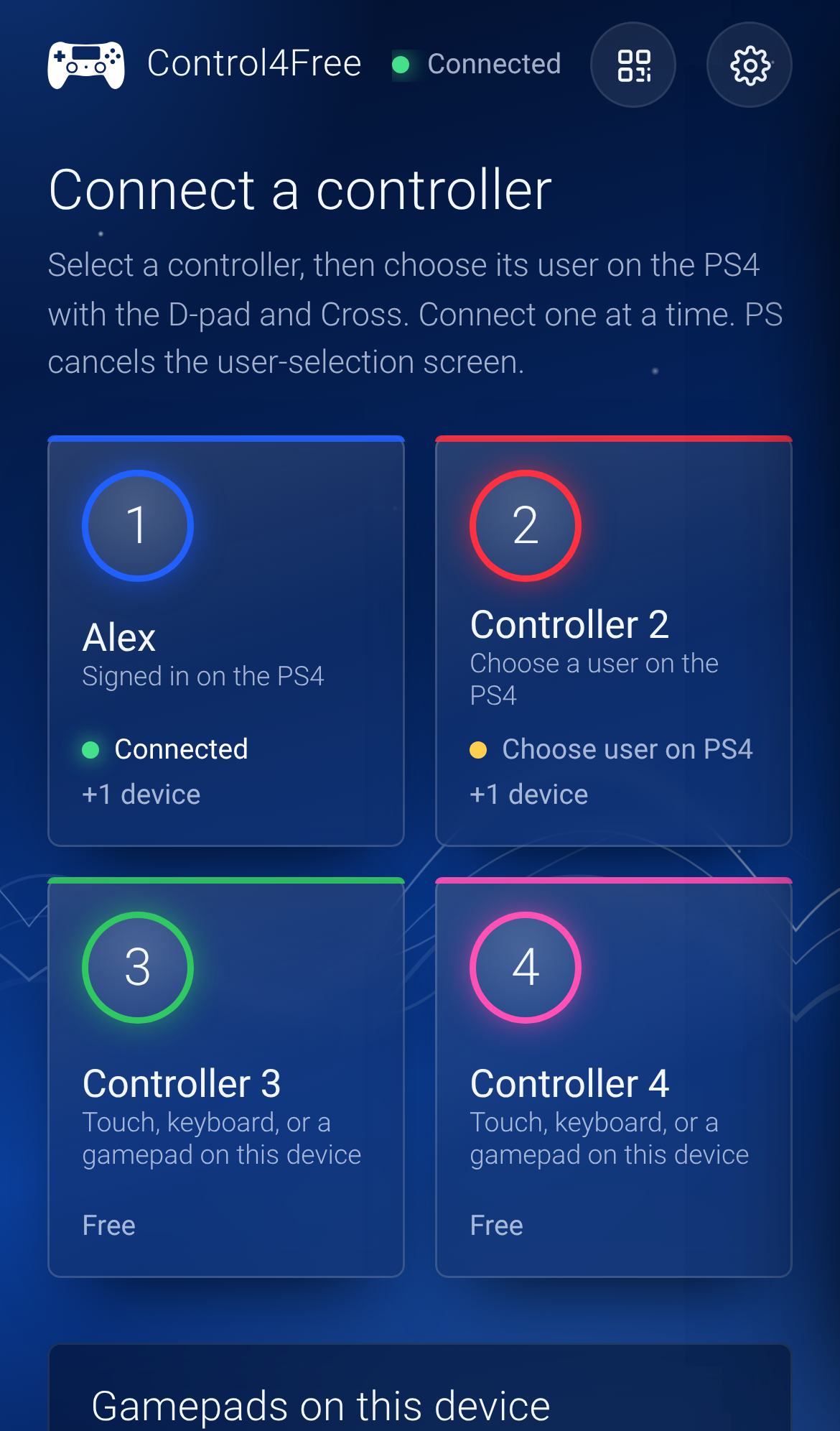
What's new
- Rumble. When a game rumbles a controller, the device driving it feels it: an Android phone buzzes, and a
gamepad playing as that controller rumbles too, though not every controller supports vibration in the
browser. A gamepad that can't be rumbled says so on its row. - Light bar. The page glows in the controller's real light-bar colour: the player colour the PS4 gives each
user, or whatever the game sets. - See who's playing. Each controller shows the name of the PS4 user signed in on it.
- Invite friends. A button next to the settings shows the page's address as a QR code: friends scan it and
they're in. - The page says "Choose user on PS4" rather than "on TV".
Update
- Download
Control4Free-1.1.0.pkgbelow and install it over the old one with GoldHEN's Package Installer
(delete the old app first if the installer refuses). - Open Control4Free and press Triangle to update the auto-start copy.
- Stop the old version (Square, then Cross) and start the new one with Cross, or restart the PS4.
New here? See the installation guide.
Files
File What it is Control4Free-1.1.0.pkgThe app for the PS4, with the service inside. Most people want this. control4free.elfThe service on its own, for GoldHEN's Payloader LaunchPad or a payload sender. SHA256SUMSChecksums for both. Tested on firmware 10.01 with GoldHEN v2.4b18.10. Full details in the
changelog.Downloads
- Rumble. When a game rumbles a controller, the device driving it feels it: an Android phone buzzes, and a
-
Control4Free 1.0.0 Stable
2026-10-06 05:00:29 +02:00 | 10 commits to main since this releaseUse your phone or PC as a PS4 controller everywhere: in the menus, and in every game.
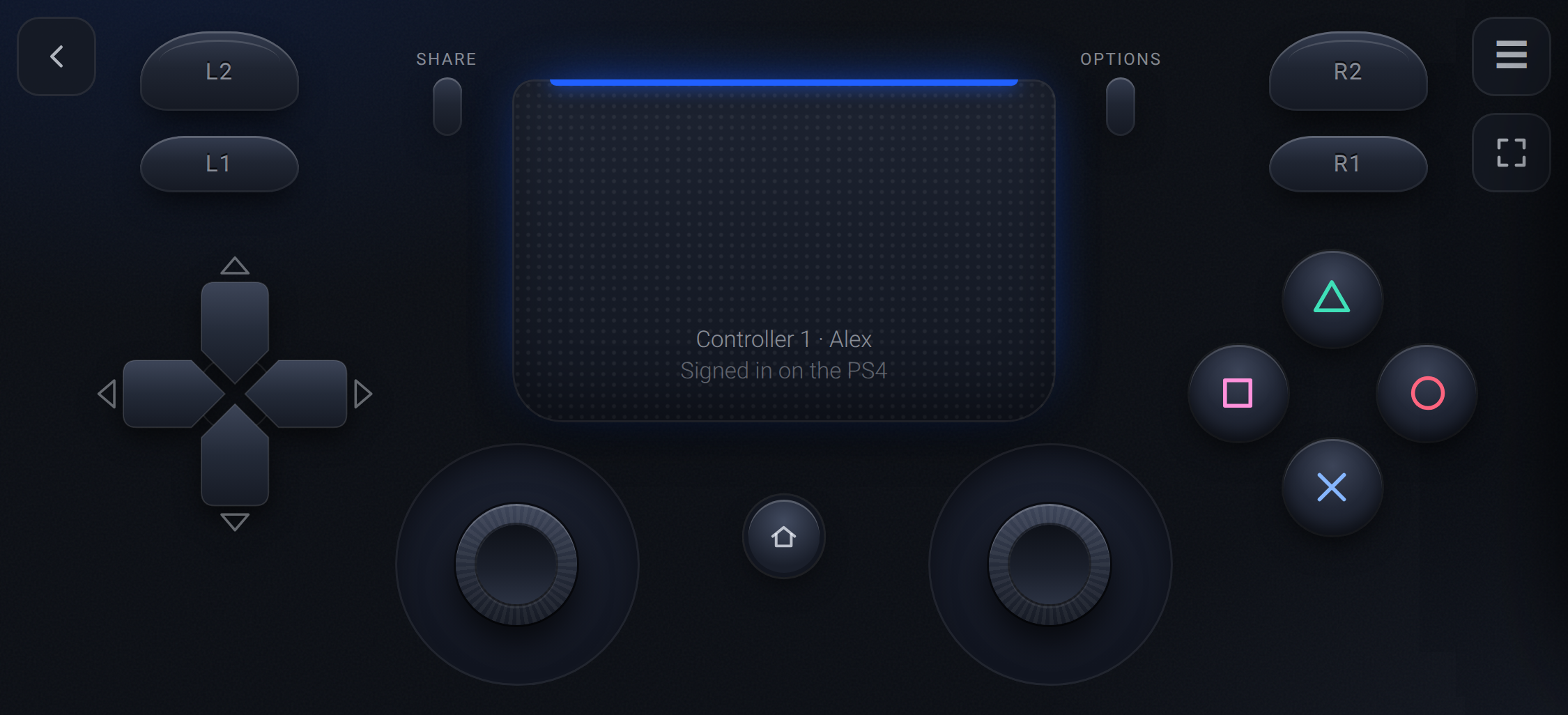
Control4Free is a GoldHEN payload that adds up to four virtual DualShock 4 controllers through the PS4's own
virtual controller service, the one Remote Play uses. The console sees a real controller, so it works in the
menus and at sign-in, and each one is assigned to a user through the PS4's own "Who's using this controller?"
screen.Highlights
- Works on the home screen, at sign-in and in every game, with no per-game setup
- Up to 4 controllers, from any mix of phones, tablets and PCs
- Touch, a keyboard, or your Xbox, DualSense or Switch Pro pad through the phone or PC
- An app on the PS4 with the address, a QR code and the controller count, plus auto-start through GoldHEN's AutoRun
- Input sent the moment it arrives, at a DualShock 4's own 4 ms rate
Install
- Download
Control4Free-1.0.0.pkgbelow and install it with GoldHEN's Package Installer. - Open Control4Free from Library → Applications and press Cross.
- Scan the QR code, pick a controller, and choose your user on the TV.
Guides: Installation ·
Playing ·
TroubleshootingFiles
File What it is Control4Free-1.0.0.pkgThe app for the PS4, with the service inside. Most people want this. control4free.elfThe service on its own, for GoldHEN's Payloader LaunchPad or a payload sender. SHA256SUMSChecksums for both. Tested on firmware 10.01 with GoldHEN v2.4b18.10. Not included: rumble, light bar and motion.
Coming from RemotePad NG? The two aren't compatible: remove RemotePad NG from
plugins.inibefore you switch.Downloads
mirror of
https://github.com/MoHadiShibli/Control4Free.git
synced 2026-10-06 08:00:26 +02:00